Access Control Systems: The Complete Guide from Design to Operation
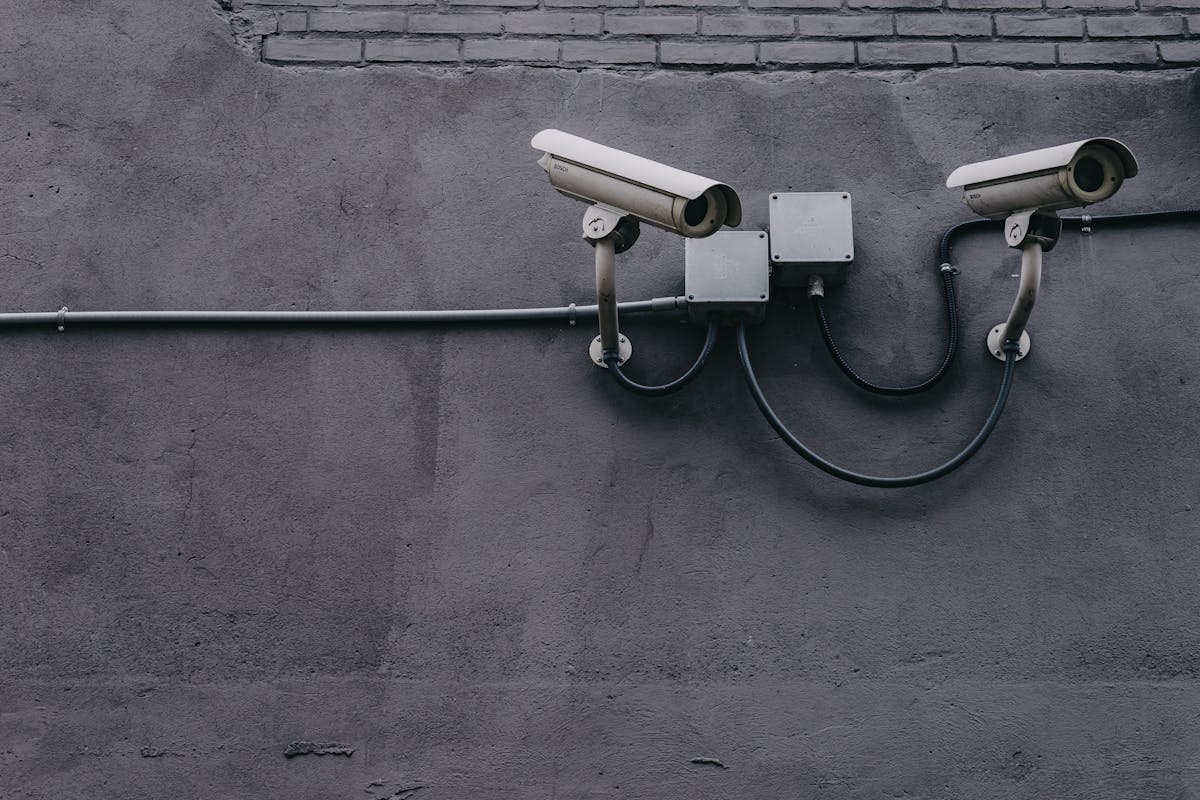
Access control is no longer just a lock and a card — it's an intelligent security ecosystem that manages who enters, when, and where, recording every movement for review and audit.
Introduction: From Metal Keys to Integrated Smart Systems
The concept of access control evolved through a long history of technological transformations. In ancient times, humans relied on simple metal keys dating back to 4000 BCE in ancient Egypt, where wooden locks with toothbrush-shaped keys were used. This basic concept — a physical key opening a mechanical lock — remained the standard for millennia until the mid-20th century.
The first transformation occurred in the 1960s with Magnetic Stripe Cards used first by banks then adopted for security. The second came in the 1980s with RFID (Radio Frequency Identification) technology that eliminated the need to insert a card — proximity was enough. The third transformation was in the 1990s with Biometric Systems using unique human body characteristics as an alternative to cards. The fourth and current transformation is AI and Cloud, where access control systems can perform proactive analysis, detect suspicious patterns, and manage hundreds of sites centrally via the internet.
Today, access control systems are the backbone of physical security for any organization. They don't just open doors — they manage employee identities, track movements, protect sensitive areas, integrate with surveillance and alarm systems, and provide invaluable data for forensic investigation and security auditing. This article provides a comprehensive engineering guide covering every aspect — from authentication technologies to engineering design, installation, governance, and maintenance.
---
Part One: Fundamental Concepts in Access Control
#### 1.1 The Authentication Triangle
Authentication is the process of verifying the identity of a person requesting entry. It relies on three fundamental factors known as the "three authentication factors":
| Factor | Principle | Examples | Security Level |
|---|---|---|---|
| Something you know (Knowledge) | Secret information only the person knows | Password, PIN code | Low (can be shared or guessed) |
| Something you have (Possession) | Physical item in the person's possession | Smart card, electronic key, phone app | Medium (can be lost or stolen) |
| Something you are (Inherence) | Unique biological characteristics | Fingerprint, iris, face, vein pattern | High (difficult to forge) |
Multi-Factor Authentication (MFA): Uses two or more factors together. Example: card + fingerprint. This significantly raises security because an attacker needs to steal the card and forge the fingerprint simultaneously.
When to use MFA:
- High-sensitivity doors (server rooms, vaults, laboratories)
- Entry outside official working hours
- Areas requiring mantrap inspection
- Systems managed remotely
#### 1.2 Authentication vs. Authorization vs. Accountability
Three essential concepts to distinguish:
- Authentication: Who are you? → Identity verification (card, biometric)
- Authorization: What are you allowed to do? → Determining permitted doors and times
- Accountability/Auditing: What did you do? → Recording every entry attempt (successful or failed)
An effective access control system implements all three together. A system that opens a door without recording who entered and when is incomplete — incidents cannot be investigated without it.
#### 1.3 Essential Terminology
| Term | Definition |
|---|---|
| Reader | Device mounted beside the door that reads cards or biometrics |
| Controller/Panel | The brain that makes the door open/close decision |
| Maglock (Electromagnetic Lock) | Lock that holds door closed with magnetic force (600–1200 lbs) |
| Electric Strike | Lock replacing the mechanical strike, controlled electrically |
| REX (Request to Exit) | Button or sensor allowing exit from inside |
| Mantrap | Two sequential doors that cannot open together — first must close before second opens |
| Area/Zone | Group of doors managed with unified policy |
| Access Level | Privilege determining which doors can be opened and when |
| Tailgating | Unauthorized person entering behind an authorized one |
| Blacklist | List of cards/persons prohibited from entry |
---
Part Two: Authentication Technologies in Detail
#### 2.1 Smart Cards and RFID Systems

RFID Technology:
RFID works by transferring data via radio waves between the card (Tag) and reader. The card contains a chip and small antenna. When the card approaches the reader, the reader emits an electromagnetic field that powers the chip to send its data.
RFID Frequencies Used in Access Control:
| Frequency | Range | Read Speed | Advantage | Disadvantage |
|---|---|---|---|---|
| 125 kHz (Low Frequency) | 1–5 cm | Slow | Cheap, widespread | Easy to clone, no encryption |
| 13.56 MHz (High Frequency) | 1–10 cm | Medium | Strong encryption (AES) | Slightly higher cost |
| UHF (Ultra High Frequency) | 1–12 m | Fast | Long-range reading | Interference, less privacy |
Modern Smart Card Standards:
- Mifare Classic (1K/4K): Legacy standard from NXP, weak encryption (Crypto-1) that can be cracked. Not recommended for new projects.
- Mifare DESFire EV2/EV3: Modern standard with strong AES-128 encryption. Supports multiple applications on one card (access + payment + parking). ISO 14443 compliant.
- HID iCLASS SE: HID standard with strong encryption and advanced security features. Supports Secure Identity Object (SIO) for additional protection layer.
- HID Seos: Latest generation from HID, supports smartphones (Mobile Access) via Bluetooth/NFC.
Magnetic Stripe vs. Smart Cards:
| Criterion | Magnetic Stripe | Smart Card (RFID) |
|---|---|---|
| Reading method | Magnetic swipe | Wireless (proximity) |
| Encryption | None | AES-128 or stronger |
| Lifespan | 1–2 years (wear) | 5–10 years |
| Cloning difficulty | Very easy | Low (with encryption) |
| Cost | Low | Medium |
| Current status | Obsolete — not recommended | Current standard |
#### 2.2 Biometric Systems
Biometric systems use unique characteristics that cannot be shared or lost, making them the highest security level in access control.

Types of Biometric Systems:
| Type | Accuracy | Read Speed | Forgery Difficulty | Cost | Usage |
|---|---|---|---|---|---|
| Fingerprint | High | <1 sec | Medium | Low | Offices, factories |
| Facial Recognition | Very High | <0.5 sec | Low (with liveness) | Medium | Public areas, entrances |
| Iris | Exceptional | 1–2 sec | Nearly impossible | High | Ultra-sensitive areas |
| Hand Geometry | Medium | 1 sec | Medium | Medium | Factories, industrial |
| Vein/Palm Vein | Very High | <1 sec | Nearly impossible | High | Banks, laboratories |
| Voice | Medium | 2–3 sec | High | Low | Voice applications |
Biometric Performance Metrics:
- FAR (False Acceptance Rate): Rate of accepting an unauthorized person. Must be below 0.001% (1 in 100,000)
- FRR (False Rejection Rate): Rate of rejecting an authorized person. Must be below 1%
- EER (Equal Error Rate): Point where FAR equals FRR — lower is better
- FTE (Failure to Enroll): Rate of people whose biometrics the system fails to register
Biometric Challenges in Real-World Environments:
- Harsh Environments: Dust, oils, humidity affect fingerprint readers in factories
- Injuries: Finger cuts prevent fingerprint reading — need alternate biometric or fallback authentication
- Privacy: Storing biometric data raises legal concerns (GDPR, PDPL)
- Biometrics Cannot Be Changed: Unlike passwords, you can't change your fingerprint if the database is compromised
How Biometric Systems Protect Data:
Modern systems don't store the fingerprint image but an encrypted mathematical template. The template cannot be reversed to obtain the original biometric. Some modern readers store templates on the smart card itself (Match-on-Card) so biometric data never leaves the card.
#### 2.3 Mobile Access (Smartphone as Credential)
The latest shift in access control is using smartphones as credentials:
How it works:
- User installs a Mobile Access app
- Administrator sends a virtual credential via the cloud
- User approaches the door and opens it via Bluetooth Low Energy (BLE) or NFC
Advantages: No physical card needed — phone is always with the user. Issue and revoke credentials remotely instantly. Track lost credentials. Support phone biometrics (Face ID, Touch ID) before opening door. Integration with virtual employee badges.
Challenges: Battery — dead phone = no entry. Compatibility — not all phones support NFC/BLE the same way. Security — stolen phone could be used for entry (mitigated by PIN/Face ID).
#### 2.4 QR Codes and Temporary Authentication
QR codes have become popular for visitors and contractors:
- System issues a temporary QR code valid for a specific period (hour, day)
- Code sent via email or WhatsApp
- Visitor scans the code at the door
- Expiration automatically cancels the code
Practical example: A maintenance contractor needs entry for one hour — the building manager issues a QR code valid from 2:00 to 3:00 PM for a specific door only. The system logs entry and exit and automatically cancels the code.
---
Part Three: System Architecture
#### 3.1 Controllers
The controller is the system's brain. It receives reader signals, makes the open/close decision, and controls locks.

Controller Types:
| Type | Door Count | Features | Usage |
|---|---|---|---|
| Single-Door Controller | 1 | Economical, compact | Small offices |
| Two-Door Controller | 2 | Wiring savings | Medium buildings |
| Multi-Door (4/8/16) | 4–16 | Flexibility, central management | Large buildings |
| Network Controller | Unlimited | Manages dozens of doors | Campuses, complexes |
Recommended Architecture — Single-Door Controller:
In good security design, an independent controller per door is preferred. Why?
- Isolated Failure: A fault in one door's controller doesn't affect other doors
- Cybersecurity: Compromising one unit doesn't open all doors
- Scalability: Adding a new door doesn't require infrastructure changes
Not Recommended — Central Controller for All Doors:
Some economy systems use one controller for 4–8 doors. Problems: controller failure = all doors disabled; controller compromise = all doors open; single cable connects all doors — cutting it disables the entire system.
#### 3.2 Network Topology
Modern access control systems operate on IP networks. Topology determines reliability:
Star Topology: Each controller connected to a central switch. Simple and easy to maintain but single point of failure at the central switch.
Ring Topology: Controllers connected in a ring. If cable breaks, data continues in the other direction. Higher reliability — recommended for critical systems.
Bus/Daisy Chain Topology: Controllers connected sequentially. Economical but single point of failure — cable break disconnects everything downstream.
#### 3.3 Cloud vs. On-Premise
| Criterion | On-Premise | Cloud-Based |
|---|---|---|
| Server | At client site | At provider data center |
| Initial investment | High (server + licenses) | Low (monthly subscription) |
| Remote access | Requires VPN | Direct from anywhere |
| Updates | Manual | Automatic |
| Security | Depends on client | Depends on provider (usually stronger) |
| Internet required | No | Yes |
| Long-term cost | Lower | Higher (ongoing subscription) |
| Multi-site | Requires sync | Built-in |
---
Part Four: Locks and Door Components
#### 4.1 Electromagnetic and Electric Lock Types
The lock is the physical execution of the controller's decision. Choosing the wrong lock negates the entire system's value.
Electromagnetic Lock (Maglock):
Works on a simple electromagnetic principle: an electric coil generates a magnetic field that attracts a metal plate (Armature) mounted on the door. Holding force ranges from 600 to 1200 lbs (270–540 kg).
| Force | Usage |
|---|---|
| 600 lbs | Interior doors, offices |
| 800 lbs | Exterior doors, main entrances |
| 1200 lbs | High-security doors, emergency exits |
| 2000+ lbs | Vault doors, military areas |
Advantages: No moving mechanical parts — long lifespan. Fail-safe: opens on power loss (safety requirement). Easy installation on most door types.
Disadvantages: Requires continuous power to keep door closed. Can be overcome with significant physical force. Sensitive to gaps between coil and plate.
Electric Strike:
Replaces the mechanical strike in the door frame. On receiving an electrical signal, the latch moves to allow door opening.
| Type | Fail Mode | Usage |
|---|---|---|
| Fail-Secure | Locks on power loss | Security doors (stays locked) |
| Fail-Safe | Opens on power loss | Emergency exits |
Electrified Lever Lock: The handle itself is electric — on signal, allows pressing the handle to open the door. More aesthetic than Maglock but more expensive and complex to install.
#### 4.2 Request to Exit (REX) Devices
Every access-controlled door needs a way to exit from inside:
| Type | Principle | Advantage | Disadvantage |
|---|---|---|---|
| Push Button | Pressing button sends signal | Simple, cheap | Anyone can exit |
| PIR/Motion Sensor | Detects motion inside door | Automatic, no interaction | False triggers |
| Pressure Mat | Stepping on mat | Hidden | Fast wear |
| Card Out | Proximity card to exit | Accurate exit logging | User inconvenience |
When to require Card Out? High-sensitivity areas (server rooms, labs), mantrap requirements, precise attendance tracking.
#### 4.3 Emergency Doors and Safety Requirements
Golden Rule: Safety over Security.
Emergency doors must always open when evacuation is needed, regardless of the access control system's state. This means:
- Maglock on emergency door: Must be Fail-Safe (opens on power loss)
- REX button: Must be connected directly to the lock (not through the controller) to ensure opening even if the controller fails
- Emergency release (Break Glass / Push Bar): Glass break button or push bar opens the door immediately
- NFPA 101 (Life Safety Code): Exit doors must open with a single action without a key or card
---
Part Five: Access Control Management Software
#### 5.1 Software Functions
Access control software is not just a door-opening interface — it's an integrated identity and security management system.

Core Functions:
| Function | Description |
|---|---|
| User Management | Create, edit, disable, delete user accounts |
| Card Management | Issue, replace, revoke cards |
| Access Levels | Determine which doors each group can open and when |
| Time Schedules | Define allowed times (work days, hours) |
| Live Monitoring | Display real-time status of each door |
| Reports | Entry/exit reports, alerts, failed attempts |
| Alerts | Real-time notifications for doors held open, forced entry, etc. |
| Integration | Link with CCTV, alarm, HR, Active Directory |
| Visitors | Manage temporary visitors and contractors |
| Forensics | Search logs by time, door, person |
#### 5.2 Access Levels
An access level is a rule determining who can open which door and when. Good access level design is the system's core:
Example Access Level Structure for an Office Building:
| Level | Permitted Doors | Permitted Times | Group |
|---|---|---|---|
| General | Main entrance, gate | 7AM–7PM | All employees |
| Floor 1 | Entrance + Floor 1 | 7AM–7PM | Floor 1 staff |
| Floor 2 | Entrance + Floor 2 | 7AM–7PM | Floor 2 staff |
| Management | Entrance + all floors + meeting room | 24/7 | Managers |
| IT | Entrance + server room | 24/7 | IT team |
| Security | All doors | 24/7 | Security team |
| Visitors | Entrance only | 9AM–5PM | Temporary visitors |
Common Access Level Design Mistakes:
- Over-privilege — everyone can open every door
- Not reviewing permissions periodically — transferred employees retain old permissions
- Not revoking terminated employees' cards immediately
- Granting 24/7 privileges to those who don't need them
#### 5.3 Leading Software Platforms
| Platform | Company | Competitive Advantage | Licensing |
|---|---|---|---|
| Genetec Synergis | Genetec | Unified integration with CCTV and alarm | Per door |
| LenelS2 OnGuard | Carrier | Industry standard, large scalability | Per door |
| HID Origo | HID | Cloud-based, Mobile Access | Subscription |
| Axis A1001 | Axis | Open, runs on Linux | Per door |
| Paxton Net2 | Paxton | Easy to use, economical | Per door |
| Software House C-CURE | Tyco | Very powerful, customizable | Per door |
| Salto JustIN Mobile | Salto | Mobile Access, wireless | Per door |
---
Part Six: Integration with Security Systems
#### 6.1 CCTV Integration
CCTV integration is the most common and valuable:
- Camera display on entry: When a card is presented, the screen automatically displays the camera facing the door. The operator sees who enters and matches the image with the card holder.
- Camera display on alarm: On a Door Forced Open attempt, the camera immediately appears on the operator's screen with an audio alert.
- Linked search: Searching for a person via their card displays camera recordings at entry time.
- Joint analytics: AI system matches the entering person's face with the database photo — if they don't match (stolen card), an alarm is triggered.
#### 6.2 Intrusion Detection Integration
- Alarm-monitored doors: Door closed with maglock connected to a magnetic sensor. If the door opens without controller command, an alarm triggers.
- Arm/Disarm zones: Presenting a card at the main door disarms the zone alarm automatically when the first employee enters in the morning.
- Linked alerts: Fire alarm automatically opens all emergency doors (integration with fire alarm system).
#### 6.3 HR System Integration
- Active Directory sync: When a new employee is created in HR, their access control account is created automatically. On termination, their permissions are revoked immediately.
- Attendance reports: Entry/exit data feeds the time and attendance system.
- Employee-linked visitor management: A visitor linked to a specific employee inherits limited permissions to accompany them.
#### 6.4 Other System Integrations
| System | Integration | Benefit |
|---|---|---|
| Elevators | Card determines permitted floors | Prevent access to sensitive floors |
| Parking | Card opens parking gate | Log vehicle entry/exit |
| Fire Alarm | Open all doors on fire | Safe and rapid evacuation |
| PA System | Audio warning on unauthorized entry | Deter intruders |
| BMS | HVAC and lighting based on occupancy | Energy savings |
| Visitor Systems | Register visitors and issue temporary cards | Professional visitor management |
---
Part Seven: Engineering Design
#### 7.1 Design Methodology
Designing an access control system starts with understanding the facility's needs, not buying equipment:
- Risk and Asset Analysis: What are we protecting? From whom? What's the risk level?
- Protection Zone Definition: Divide the building into graduated security zones (public, restricted, sensitive, ultra-sensitive)
- Door Requirements: Lock type, reader, exit device, door sensors for each door
- Access Level Design: Who enters where and when
- Technology Selection: Cards, biometrics, mobile, hybrid
- Network Design: Topology, VLAN, security
- Control Room Design: Monitors, workstations, alert systems
- Software Selection: On-premise or cloud, user count, integrations
- Design Documentation: Drawings, bill of quantities, technical specifications
#### 7.2 Concentric Rings of Security
The fundamental security principle is Defense in Depth — successive security layers from perimeter to protected asset:
| Layer | Location | Measure | Level |
|---|---|---|---|
| 1 | Building perimeter | Cameras, fence, guards | Monitoring |
| 2 | Main gate | Card reader, camera, barrier | Primary control |
| 3 | Main entrance | Card reader, turnstile | Basic control |
| 4 | Floors and corridors | Card reader for elevators and doors | Medium control |
| 5 | Offices and rooms | Card reader + PIN | Advanced control |
| 6 | Sensitive rooms (servers, vaults) | Biometric + card + Mantrap | Ultra control |
#### 7.3 Reader Selection Criteria
| Criterion | Question | Impact |
|---|---|---|
| User count | How many people use the door daily? | Fast reader for busy gates |
| Environment | Indoor or outdoor? Heat, humidity, dust? | Reader with suitable IP rating |
| Security level | How sensitive is the area? | Card only or card + biometric |
| Entry speed | How many people/minute? | Turnstile for busy, standard reader for quiet |
| Integration | Does it integrate with CCTV? | Reader with alert output (Wiegand/OSDP) |
| Budget | What budget is available? | Balance between security and cost |
#### 7.4 Communication Protocols
| Protocol | Description | Status |
|---|---|---|
| Wiegand | Legacy standard, card data via pulses | Obsolete — weak security |
| OSDP (Open Supervised Device Protocol) | Modern standard, encryption, line monitoring | Recommended |
| RS-485 | Serial communication, long distances | For legacy systems |
| TCP/IP | Standard Ethernet network | Current standard |
| REST API | Integration with other systems | For modern software |
Why OSDP is better than Wiegand: OSDP supports AES-128 encryption, detects cable cuts, is bidirectional (read + program reader), and prevents Man-in-the-Middle attacks. Wiegand provides none of these features.
---
Part Eight: Installation and Implementation
#### 8.1 Best Installation Practices
Reader Installation:
- Ideal height: 120–130 cm from floor (comfortable average for most people)
- On the side of the door opposite the hinges (to prevent external tampering)
- Rain and sun protection (canopy) for outdoor readers
- Adequate lighting beside reader (especially for biometric readers)
Controller Installation:
- In a secure room or locked cabinet (not above the door)
- Away from heat and humidity sources
- Close to the door to minimize cable length
- With independent UPS to ensure operation during power outages
Lock Installation:
- Ensure precise alignment between Maglock and armature plate
- Use tamper-proof screws
- Install Door Position Switch (DPS) to monitor door status
- Strength test: door must withstand forced entry attempts
Cable Installation:
- Use cables with appropriate temperature rating (PLTC for security systems)
- Separate control cables from high-voltage power cables
- Leave service loop (1–2m) at each device
- Label each cable with door and device number
#### 8.2 Configuration and Testing
- Controller configuration: IP addresses, locks, readers, sensors
- User and card enrollment: Enter data, assign access levels
- Time schedule configuration: Work days, holidays, hours
- Alert configuration: Door Held Open, Door Forced, Invalid Card
- Test each door: successful entry, denied entry, normal exit, emergency exit
- Scenario testing: power outage, network failure, lost card
- Integration testing: CCTV, alarm, HR
- Documentation: diagrams, user list, system settings
---
Part Nine: Cybersecurity and Governance
#### 9.1 Protecting Access Control Systems from Cyber Attacks
Modern access control systems are network-connected and vulnerable to attacks. In 2016, a vulnerability in access control systems was exploited to breach critical infrastructure.
Main Threats:
| Threat | Description | Risk Level |
|---|---|---|
| Card Cloning | Copying an authorized card | High |
| Man-in-the-Middle | Intercepting reader-controller communication | High |
| Software Hack | Accessing the management system | Critical |
| Remote Door Opening | Exploiting network vulnerability to open a door | Critical |
| Biometric Spoofing | Using artificial biometric | Medium |
| DoS | Flooding system with requests to stop it | Medium |
Cybersecurity Best Practices:
- Use OSDP instead of Wiegand: Encryption and line monitoring
- Encrypt cards: Use Mifare DESFire or HID iCLASS SE instead of magnetic stripe
- Isolate access control network: Separate VLAN from IT network
- Update firmware: Apply security patches immediately
- Strong passwords: For admin and users, with MFA for administrators
- Encrypt database: Protect user and card data
- Audit logs: Enable logging for all administrative operations
- Periodic penetration testing: Annual system assessment by cybersecurity specialist
#### 9.2 Privacy and Legal Governance
Access Control Data and Privacy:
Access control systems collect sensitive personal data: person's identity, entry/exit time and location, biometric data (fingerprints, faces) — extremely sensitive data, behavioral patterns (when they arrive, leave, frequency).
Legal Requirements:
- GDPR (Europe): Biometric data classified as "sensitive data" requiring explicit consent, DPIA before implementation, right to access/correct/be forgotten, limited retention.
- PDPL (Saudi Arabia): Principles similar to GDPR — legal basis for data collection, transparency and notification, retention limitation, data protection.
- Labor Laws: In some countries, tracking employee movement via access control is subject to worker protection laws — employees must be clearly informed.
Access Governance Principles:
| Principle | Application |
|---|---|
| Least Privilege | Grant only the minimum necessary permissions |
| Need to Know | Access only what the person needs for their role |
| Separation of Duties (SoD) | No single person controls all doors |
| Periodic Review | Review permissions every 3–6 months |
| Immediate Revocation | Revoke terminated employees' cards on their last day |
| Auditing | Review entry logs monthly |
---
Part Ten: Maintenance and Troubleshooting
#### 10.1 Preventive Maintenance
| Task | Frequency | Responsible |
|---|---|---|
| Inspect locks (holding force, alignment) | Quarterly | Technician |
| Clean readers (especially biometric) | Monthly | Technician |
| Check batteries and UPS | Semi-annually | Technician |
| Test emergency doors | Monthly | Security |
| Review permissions | Quarterly | Security Manager |
| Update firmware | On release | System Admin |
| Inspect cables and connections | Quarterly | Technician |
| Test scenarios (power outage) | Semi-annually | Technician |
| Review alert logs | Weekly | Operator |
| Security audit (Penetration Test) | Annually | Security Specialist |
#### 10.2 Common Troubleshooting
| Problem | Likely Causes | Solution |
|---|---|---|
| Card not read | Damaged card, dirty reader, EMI | Replace card, clean reader, check cable |
| Door won't open | Failed lock, no power, controller failure | Check power, check lock, check controller |
| Door opens but won't close | Poor alignment, weak lock, failed sensor | Realign, replace lock, check DPS |
| Frequent Door Held Open alert | Users not closing door, timeout too short | Educate users, increase delay time |
| Door Forced alert | Failed sensor, misaligned door | Check door sensor, realign |
| Slow response | Congested network, large database | Check network, archive old logs |
| Lost logs | Disk failure, sync error | Check storage, restore backup |
---
Part Eleven: Case Study and Application Scenarios
#### 11.1 Case Study: Tech Company Building Access Control
Project: Tech company building, 8 floors, 600 employees, 3 server rooms, R&D laboratory.
Requirements:
- Control 45 doors
- Two-factor authentication for server rooms (card + fingerprint)
- Integration with CCTV and Active Directory
- Manage 200 monthly visitors
- Attendance reports
- NFPA 101-compliant emergency doors
Design:
- 45 independent controllers (one per door)
- HID iCLASS SE readers for standard doors
- Biometric readers (fingerprint + card) for server rooms and lab
- Mantrap for main server room
- RFID turnstile for main entrance
- Genetec Synergis software integrated with Security Center (CCTV)
- Active Directory integration via API
- Electronic visitor system with QR codes
Results:
- 90% reduction in unauthorized entry incidents
- Accurate attendance tracking (saving 15 hours/month in attendance management)
- Immediate revocation of terminated employees' cards
- CCTV + Access Control integration accelerated incident investigation by 70%
#### 11.2 Specialized Application Scenarios
Hospitals:
- Control access to controlled medication pharmacies
- Doctors-only access to operating rooms
- Patient movement tracking (children, elderly)
- Emergency doors compliant with health requirements
Banks and Financial Institutions:
- Mantrap for cash vaults
- Three-factor authentication (card + fingerprint + PIN) for vault rooms
- CCTV integration above each vault
- Audit logs for regulatory authorities
Factories and Industrial Facilities:
- Control access to hazardous areas (presses, reactors, production lines)
- Link entry to PPE — no entry without helmet
- Track worker time in hazardous zones
- Evacuation mustering via access control data
Data Centers:
- Multi-factor authentication for all entry points
- Mantrap corridors between security zones
- Biometric + card for server halls
- 24/7 monitoring with CCTV integration
- Complete audit trail for compliance (SOC 2, ISO 27001)
Government and Military:
- Multi-layer security clearance levels
- Biometric authentication mandatory
- Anti-tailgating turnstiles and mantraps
- Integration with intrusion detection and perimeter security
- Classified area access logging
---
Part Twelve: Future Trends
#### 12.1 Cloud-Based Access Control
The shift to cloud is transforming access control:
- Cloud-based management: Manage doors across multiple sites from a single dashboard
- Mobile credentials: Phones replace physical cards entirely
- Subscription model: Lower upfront cost, predictable monthly expense
- Automatic updates: Security patches applied without on-site visits
- API-first architecture: Easy integration with HR, IT, and other systems
#### 12.2 AI and Predictive Analytics
AI is making access control proactive rather than reactive:
- Anomaly detection: AI learns normal access patterns and alerts on deviations (e.g., employee entering at 3 AM when they never work nights)
- Tailgating detection: AI-powered cameras detect and alert on tailgating attempts
- Predictive maintenance: AI predicts lock or reader failures before they occur
- Behavioral analytics: Identify suspicious access patterns over time
#### 12.3 Convergence of Physical and Cyber Security
The future is unified security management:
| Convergence | Benefit |
|---|---|
| Physical + Cyber | Single dashboard for all security events |
| Access + Identity | Unified identity management across physical and digital |
| Access + IoT | Sensor data fusion with access events |
| Access + AI | Proactive threat detection and response |
| Access + Cloud | Unlimited scalability and remote management |
---
Frequently Asked Questions (FAQ)
Q: What's the difference between Fail-Safe and Fail-Secure locks?
A: Fail-Safe locks open when power is lost (for safety — emergency exits). Fail-Secure locks stay locked when power is lost (for security — vaults, server rooms). Choose based on whether safety or security is the priority for each door.
Q: Should I use biometrics or cards for my building?
A: It depends on security level and budget. Cards are sufficient for most office environments. Biometrics are recommended for high-security areas (server rooms, vaults). A hybrid approach (card + biometric for sensitive areas) is often the best balance.
Q: How often should I review access permissions?
A: At minimum quarterly. Best practice is continuous review with automated alerts when permissions haven't been used in 90 days (indicating they may no longer be needed).
Q: Can access control systems be hacked?
A: Yes, if not properly secured. Legacy Wiegand connections and unencrypted cards are vulnerable. Use OSDP with AES-128, encrypted smart cards, network segmentation, and regular firmware updates to minimize risk.
Q: What's a mantrap and when do I need one?
A: A mantrap is a two-door corridor where both doors cannot be open simultaneously. It ensures only one person enters at a time, preventing tailgating. Required for high-security areas like server rooms, vaults, and clean rooms.
Q: How do I handle visitors?
A: Modern systems offer electronic visitor management: pre-registration, QR code credentials with time-limited access, visitor badges, and escort tracking. Integration with the host employee's access level ensures visitors only go where permitted.
Q: What's the cost difference between on-premise and cloud?
A: On-premise has higher upfront cost (servers, licenses) but lower long-term cost. Cloud has lower upfront cost but ongoing monthly subscription. For multi-site organizations, cloud is often more cost-effective due to eliminated server maintenance and multi-site management.
Q: Are mobile credentials secure?
A: When properly implemented, yes. Modern mobile credentials use encrypted BLE/NFC communication and require phone biometric authentication (Face ID/Touch ID) before transmitting. The main risk is a stolen unlocked phone, which is mitigated by requiring phone PIN/biometric.
---
Conclusion and Recommendations
Modern access control systems have evolved from simple lock-and-key mechanisms to intelligent, integrated security ecosystems. System success depends not on the brand of hardware but on sound engineering design, proper installation, careful configuration, and continuous maintenance.
Practical Recommendations:
- Start with risk assessment — understand what you're protecting before choosing technology
- Use smart cards with encryption — Mifare DESFire or HID iCLASS SE, not magnetic stripe
- Choose OSDP over Wiegand — encryption and line monitoring are essential
- Use single-door controllers — isolated failure and better security
- Implement least privilege — grant only the minimum necessary access
- Review permissions quarterly — remove unused access rights
- Integrate with CCTV — visual verification multiplies security value
- Plan for emergency compliance — NFPA 101 safety requirements are non-negotiable
- Invest in cybersecurity — network segmentation, encryption, regular updates
- Train operators and users — the best system fails without trained people
---
References
- IEC 60839-11-1:2013 — Alarm and electronic security systems — Part 11-1: Electronic access control systems
- SIA OSDP Standard — Security Industry Association, Open Supervised Device Protocol
- NFPA 101 — Life Safety Code, National Fire Protection Association
- GDPR Article 9 — Processing of special categories of personal data
- NIST SP 800-116 — Guide for Mapping Types of Information and Information Systems to Security Categories
- Personal Data Protection Law (PDPL) — Kingdom of Saudi Arabia, 2023
- HID Global — Physical Access Control System Best Practices, 2024
- Axis Communications — Access Control Design Guide, 2024
- Genetec — Unified Security Operations Best Practices, 2024
- ASIS International — Physical Security Professional (PSP) Study Guide, 2024