CCTV Surveillance Camera Systems: The Complete Guide from Design to Operation and Maintenance

Surveillance systems are no longer just cameras that record — they are intelligent, integrated systems that analyze, predict, and protect.
Introduction: From Security Need to Intelligent Ecosystem
The concept of video surveillance began in the 1940s when German forces developed remote monitoring systems to observe V-2 rocket tests. In 1942, German engineer Walter Bruch designed the first true CCTV system for monitoring rocket launches from a safe room. By the 1960s, CCTV systems had spread to public spaces and banks in the United States and United Kingdom, relying entirely on analog cameras connected directly to monitors without recording capability.
The fundamental transformation occurred in three stages: Stage One (1960s–1980s) saw the introduction of VHS tape recording and then Time-lapse VCRs that allowed recording days on a single tape. Stage Two (1990s–2000s) came with the digital revolution and DVRs (Digital Video Recorders) that converted analog signals to digital and enabled indexed search and multi-channel recording. Stage Three (2010s–Present) is the era of IP cameras and artificial intelligence, where the camera became a complete computing device capable of self-analysis, network communication, and proactive alerting.
Today, CCTV systems are not merely recording tools but integrated security information systems combining Edge Computing, Machine Learning, IoT, and Big Data analytics. This article provides a comprehensive engineering guide covering every aspect of the system — from camera selection to network design, installation, operation, governance, and maintenance.
---
Part One: Core Components of a CCTV System
#### 1.1 Cameras: The Electronic Eye
The camera is the first and most critical element in any surveillance system. Understanding camera types and technical specifications is the foundation of sound engineering design.
Camera Types by Transmission Technology:
| Type | Transmission | Max Resolution | Max Distance | Power | Typical Use |
|---|---|---|---|---|---|
| Analog (HD-CVI/HD-TVI/AHD) | Coaxial cable | 4K (8MP) | 500m with amplifier | Over cable (PoC) | Upgrading legacy systems |
| IP (Network) | CAT6/Fiber | 12K+ | 100m (CAT6) / km (fiber) | PoE | New installations |
| Wireless | Wi-Fi/Point-to-Point | 4K | Per coverage | Separate/Battery | Difficult sites |

Camera Types by Form Factor and Function:
- Dome Camera: Hemispherical design conceals direction, ideal for indoor spaces and entrances. Provides vandal resistance (IK10). Used in offices, hotels, and retail where aesthetics matter.
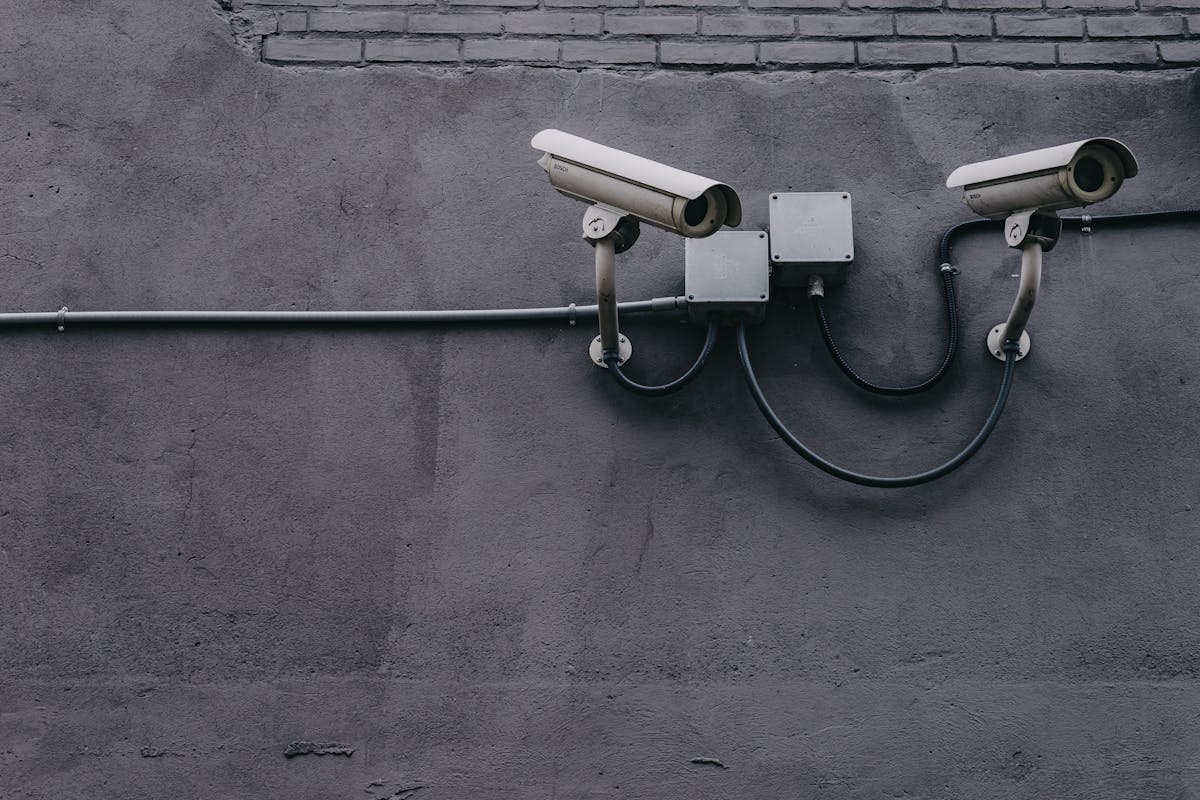
- Bullet Camera: Cylindrical shape with long viewing range, typically equipped with sun shields and weather resistance (IP67). Ideal for building exteriors, parking lots, and perimeters.
- PTZ Camera (Pan-Tilt-Zoom): Motorized camera capable of horizontal rotation (360°), vertical tilt (±90°), and optical zoom up to 40x or more. Used for active monitoring. Modern models support Auto-tracking.
- Turret/Eyeball Camera: Compact spherical design without glass cover, avoids IR reflection issues affecting dome cameras. Ideal for low-light environments.
- Fisheye (360°) Camera: Fisheye lens covering 360° from a single point. Requires digital dewarping. Ideal for open halls and warehouses.
- Multi-Sensor/Panoramic Camera: Contains 2–4 sensors in one body for 180°–360° coverage at high resolution without dewarping. Ideal for intersections and plazas.
#### 1.2 Sensors and Lenses: Image Quality from Within
Image Sensor: The electronic chip that converts light into electrical signal. Two main types:
- CMOS (Complementary Metal-Oxide-Semiconductor): Dominant today. Low power consumption, lower cost, high read speed. Modern sensors like Sony Starvis 2 and OmniVision OS08A10 deliver excellent low-light performance.
- CCD (Charge-Coupled Device): Former standard in older cameras. Better color quality but higher power consumption and slower speed. Rarely used in modern cameras.
Sensor Size Determines Quality: Larger sensors gather more light and improve image quality in challenging conditions:
| Sensor Size | Dimensions (mm) | Low-Light Performance | Usage |
|---|---|---|---|
| 1/3" | 4.8 × 3.6 | Moderate | Budget cameras |
| 1/2.8" | 5.1 × 3.8 | Good | Standard cameras |
| 1/1.8" | 7.5 × 5.6 | Excellent | Professional cameras |
| 1/1.2" | 9.6 × 7.2 | Exceptional | Ultra-high-res cameras |
Lens: Determines field of view and coverage:
- Focal Length: Shorter focal length (e.g., 2.8mm) = wider angle (100°+) but less distant detail. Longer (e.g., 12mm, 50mm) = narrower angle but more zoom.
- Varifocal Lens: Allows manual focal length adjustment (e.g., 2.7–13.5mm) for coverage flexibility.
- Motorized Zoom Lens: Adjustable remotely via software, ideal for cameras mounted at height.
#### 1.3 Recording Devices: NVR and DVR

DVR (Digital Video Recorder):
- Works with analog cameras only
- Converts analog signal to digital via encoder
- Limited channels (typically 4, 8, 16, 32)
- Resolution limited by standard (HD-CVI/HD-TVI support up to 4K)
- Suitable for budget projects or legacy upgrades
NVR (Network Video Recorder):
- Works with IP cameras only
- Receives digital stream directly over network
- Supports large camera counts (64, 128, 256+)
- Unlimited resolution (constrained by network and storage)
- Supports advanced features: smart search, analytics, alerts
- Some models support analog cameras via encoders
Detailed Comparison:
| Criterion | DVR | NVR |
|---|---|---|
| Camera Type | Analog | IP |
| Cabling | Coaxial (RG59/RG6) | CAT6 / Fiber |
| Resolution | Up to 4K (8MP) | Unlimited |
| Power | Separate or PoC | PoE (IEEE 802.3af/at/bt) |
| Audio | Limited channels | Unlimited |
| Analytics | Limited | Advanced (built-in AI) |
| Scalability | Limited by channels | Highly flexible |
| Cost | Lower | Higher |
#### 1.4 Video Management Systems (VMS)
A VMS is the software that manages all cameras, recordings, and alerts. The difference between NVR and VMS:
- NVR: Physical device with embedded firmware, limited features
- VMS: Standalone software running on standard servers, supports cameras from different brands, provides advanced features
Leading VMS Platforms:
| System | Company | Competitive Advantage | Licensing |
|---|---|---|---|
| Genetec Security Center | Genetec | Integration with access control | Per channel |
| Milestone XProtect | Milestone | Open platform, 8000+ cameras | Per channel |
| Avigilon Control Center | Motorola | Powerful built-in AI | Per channel |
| HikCentral | Hikvision | Hikvision ecosystem integration | Free/Paid |
| Nx Witness | Network Optix | Easy UI, high performance | Per channel |
| Blue Iris | Perspective Software | Open and flexible | Single license |
---
Part Two: Networks and Infrastructure
#### 2.1 CCTV Network Design
A CCTV network is not an ordinary network — it has special requirements for bandwidth, latency, and reliability.

Bandwidth Calculation:
Per-camera bandwidth depends on four factors:
- Resolution: 1080p = 2MP, 4K = 8MP
- Frame Rate: Typically 15–30 fps
- Codec: H.264, H.265, H.265+, AV1
- Motion Level: Static scene consumes less than dynamic scene
Approximate Bitrate Calculation:
Bitrate (Mbps) ≈ Resolution (MP) × Frame Rate (fps) × Compression Factor
| Resolution | Frame Rate | Codec | Approx. Bitrate | Storage/Day |
|---|---|---|---|---|
| 1080p (2MP) | 15 fps | H.265 | 1.5–2 Mbps | ~21 GB |
| 4MP | 20 fps | H.265 | 3–4 Mbps | ~42 GB |
| 4K (8MP) | 25 fps | H.265+ | 6–8 Mbps | ~84 GB |
| 4K (8MP) | 30 fps | H.265 | 10–12 Mbps | ~126 GB |
#### 2.2 Modern Compression Technologies
H.265 (HEVC): Reduces file size by 40–50% compared to H.264 at the same quality. Requires more processing power for encoding/decoding.
H.265+ / Smart Codec: Manufacturer-specific enhancements that reduce consumption by an additional 50–70% through:
- Region of Interest Encoding: Less compression for important areas (faces, plates), more for static backgrounds
- Smart Frame: When no motion, records one frame every several seconds
- Long-Term Reference Frames: Uses distant reference frames to reduce data
AV1: The next generation video codec, offering 30% additional savings over H.265 but requiring newer hardware. Not yet widespread in CCTV but represents the future.
#### 2.3 PoE (Power over Ethernet)
PoE delivers power and data over a single network cable, simplifying installation and reducing cost.
| PoE Standard | Max Power | Class | Usage |
|---|---|---|---|
| IEEE 802.3af | 15.4W | Type 1 | Simple fixed cameras |
| IEEE 802.3at (PoE+) | 30W | Type 2 | PTZ cameras, heaters |
| IEEE 802.3bt (PoE++) | 60W | Type 3 | Multi-sensor cameras |
| IEEE 802.3bt (High Power) | 90W | Type 4 | Professional cameras with accessories |
Common PoE Mistakes:
- Ignoring voltage drop in long cable runs
- Exceeding switch port power budget
- Not accounting for accessory consumption (heater, fan, audio) in PoE budget
#### 2.4 Storage
Storage Calculation:
Total Storage = (Bitrate × 3600 × 24 × Number of Cameras × Retention Days) ÷ (8 × 1024³)
Practical example: 32 cameras at 4MP, 3 Mbps, 30-day retention:
Storage = (3 × 3600 × 24 × 32 × 30) ÷ (8 × 1024³) = 30.3 TB
Storage Types:
- Surveillance Grade HDD: Drives designed for continuous 24/7 writing (e.g., WD Purple, Seagate SkyHawk). Differ from standard PC drives in workload rate and warranty.
- RAID Arrays: Disk arrays for fault tolerance:
- RAID 6: Tolerates two disk failures (recommended for large systems)
- RAID 10: Higher performance but less capacity (for high read/write systems)
- NAS (Network Attached Storage): Independent network storage units, ideal for expansion without system downtime
- Cloud Storage: Backup for critical footage, protects against physical destruction of local system
---
Part Three: Artificial Intelligence and Smart Analytics
#### 3.1 Intelligent Video Analytics
Intelligent video analysis is the biggest transformation in the CCTV industry. The camera is no longer a recording device but a smart sensor that understands what it sees.

Types of Smart Analytics:
| Analytics | Description | Practical Application |
|---|---|---|
| Motion Detection | Simplest: pixel change detection | Alert on entering restricted zone |
| Person Detection | Distinguish people from animals/vehicles | Visitor counting, entry alerts |
| Facial Recognition | Match face against database | Access control, public security |
| LPR/ANPR | Read vehicle license plates | Parking, checkpoints |
| Abandoned Object | Detect items left for a period | Airports, stations |
| Missing Object | Detect removal of existing items | Museums, warehouses |
| Trajectory Tracking | Track person or vehicle movement | Traffic analysis |
| Intrusion Detection | Detect entry into defined area | Borders, facilities |
| People Counting | Accurate in/out counting | Retail, crowd management |
| Heatmap | Activity heat map | Customer behavior analysis |
| Fall Detection | Detect person falling | Hospitals, eldercare |
| Behavioral Analysis | Detect abnormal behavior | Airports, public spaces |
#### 3.2 Deep Learning in Surveillance Cameras
Traditional analytics rely on rule-based algorithms with high false positive rates. Deep learning changed this:
The Fundamental Difference:
- Traditional Analytics: Looks for pixel changes — triggers on moving trees or shadows
- Deep Learning Analytics: Understands image content — distinguishes human, animal, vehicle, shadow
How Deep Learning Works in Cameras:
- Training: Neural network trained on millions of images to recognize patterns (faces, vehicles, weapons)
- Inference: Camera uses trained model to analyze each frame in real-time
- Edge AI: Processing happens inside the camera via NPU chips (e.g., Ambarella CV22, Huawei Ascend 310)
AI Levels in Cameras:
| Level | Capability | Hardware Required |
|---|---|---|
| Basic | Simple motion detection | Standard camera |
| Intermediate | People/vehicle detection + classification | Camera with AI processor |
| Advanced | Facial recognition + plate reading | Camera with powerful NPU |
| Ultra | Behavioral analysis + proactive alert | Camera + AI server |
#### 3.3 Facial Recognition: Technology and Challenges

Facial recognition is the most sensitive and powerful CCTV analytics. Its stages:
- Detection: Identifying a face in the frame
- Alignment: Adjusting face angle and lighting
- Feature Extraction: Extracting 128–512 unique features (embedding) from the face
- Matching: Comparing features against database
Performance Metrics:
- Accuracy: Correct match rate. Modern systems reach 99.8% in ideal conditions
- FAR (False Acceptance Rate): Incorrect face acceptance rate. Must be below 0.1%
- FRR (False Rejection Rate): Correct face rejection rate. Must be below 1%
- Speed: 30–100 ms per match
Facial Recognition Challenges:
- Variable Lighting: Shadow or backlight reduces accuracy
- Angles: Faces at angles >30° significantly reduce accuracy
- Masks and Coverings: Some modern systems support masked face recognition
- Privacy and Law: Many countries restrict facial recognition (GDPR in Europe, state laws in US)
---
Part Four: Engineering Design
#### 4.1 Design Methodology
Designing a CCTV system is not buying cameras — it's an integrated engineering process that starts with risk analysis and ends with a operable, maintainable system.
Design Phases:
- Risk Assessment: Identify potential threats and risk level for each area
- Surveillance Requirements: What to monitor? Why? What detail level?
- Coverage Zones: Draw coverage map defining camera positions and fields of view
- Equipment Selection: Match specifications to requirements
- Network Design: Calculate bandwidth, cabling, security
- Storage Design: Calculate capacity, disk type, retention period
- Power Design: UPS, backup power, PoE
- Control Room Design: Monitors, furniture, lighting, ventilation
- Design Documentation: Drawings, schedules, specifications
#### 4.2 Performance Standards and International Criteria
IEC 62676-1-1 defines four surveillance levels:
| Level | Definition | Required Resolution (px/m) | Distance |
|---|---|---|---|
| Monitor | Detect presence of person/vehicle | 25 px/m | General |
| Detect | Distinguish object type (human/animal/vehicle) | 62.5 px/m | Medium |
| Observe | Observe general details | 125 px/m | Close |
| Recognize | Recognize known person | 250 px/m | Very close |
| Identify | Identify person precisely | 500 px/m+ | Very close |
40 PPF (Pixels Per Foot) Rule: A common industry standard. For face recognition, you need 40 pixels per foot of scene. This means:
- 2MP camera (1920×1080) covers ~48 feet wide for recognition
- 4MP camera covers ~68 feet wide for recognition
- 4K (8MP) camera covers ~96 feet wide for recognition
#### 4.3 Field of View Calculation
FOV depends on sensor size and lens focal length:
FOV (horizontal) = 2 × arctan(sensor width ÷ (2 × focal length))
| Focal Length | 1/2.8" Sensor | 1/1.8" Sensor | Usage |
|---|---|---|---|
| 2.8mm | 110° | 130° | Wide general surveillance |
| 4.0mm | 85° | 100° | Entrances and corridors |
| 6.0mm | 55° | 70° | Medium-range surveillance |
| 12mm | 28° | 38° | Long-range surveillance |
| 25mm | 14° | 19° | Plate/detail surveillance |
#### 4.4 Lighting and Night Vision
IR Illumination:
Most CCTV cameras are equipped with IR LEDs for vision in total darkness. IR is invisible to the human eye but visible to the sensor.
| Wavelength | Effective Range | Advantage | Disadvantage |
|---|---|---|---|
| 850nm | 30–50m | Balance of range and visibility | Slight red glow visible |
| 940nm | 15–25m | Completely covert | Less range, higher power |
Thermal Cameras:
Detect thermal radiation (far infrared: 8–14 μm) and require no illumination. Distinguish objects by temperature.
| Feature | Thermal Camera | Standard Camera + IR |
|---|---|---|
| Night vision | Excellent | Good (limited range) |
| Fog/smoke vision | Excellent | Poor |
| Camouflage detection | Excellent | Cannot detect |
| Face recognition | Not possible | Possible |
| Range | Up to 2–3 km | 30–50m |
| Cost | Very high | Reasonable |
---
Part Five: Installation and Implementation
#### 4.1 Best Installation Practices
Camera Installation:
- Ideal Height: 2.5–3.5m for indoor, 4–6m for outdoor. Higher = more coverage but less face recognition detail.
- Tilt Angle: Do not exceed 15° to avoid image distortion. Steeply tilted cameras produce unusable images for recognition.
- Avoid Backlight: Do not point cameras toward strong light sources (windows, floodlights). Backlight makes foreground dark. Use WDR if unavoidable.
- Cable Protection: Use PVC or metal conduit to protect cables from rodents, weather, and vandalism.
- Grounding: Connect all devices to a common electrical ground to prevent voltage differences that can damage equipment.
Cable Installation:
- Cable Separation: Do not run CCTV cables alongside high-voltage power cables to avoid EMI
- Organization: Use cable trays and label each cable with camera number
- Service Loops: Leave 1–2m extra cable at each camera for future maintenance
- Testing: Test each cable before installation (Continuity Test, Length Test)
#### 5.2 System Configuration
After physical installation comes software configuration:
- IP Address Assignment: Plan a dedicated IP range for CCTV cameras (e.g., 10.10.1.0/24) separate from IT network
- Camera Configuration: Set resolution, frame rate, codec, image quality, recording schedule
- Analytics Setup: Draw detection zones, set motion sensitivity, configure alert rules
- User Setup: Create accounts with different privileges (operator, admin, viewer)
- Comprehensive Testing: Test each camera in all scenarios (day, night, motion, alarm)
- Documentation: Document all system settings in a reference file
---
Part Six: Cybersecurity and Governance
#### 6.1 Protecting CCTV Systems from Cyber Attacks
Modern CCTV systems are full IT systems facing the same cyber threats. In 2017, CCTV cameras infected with malware were used in the Mirai Botnet attack that crippled large portions of the US internet.

Main Threats:
| Threat | Description | Risk Level |
|---|---|---|
| Unauthorized Access | Hacking camera with weak password | High |
| Botnet | Turning camera into attack node | High |
| Spying | Viewing live feed by intruder | Critical |
| Video Spoofing | Injecting pre-recorded video | Critical |
| Ransomware | Encrypting recordings for ransom | Critical |
| DoS/DDoS | Flooding system to stop it | Medium |
Cybersecurity Best Practices:
- Change default passwords immediately: 80% of camera hacks due to unchanged default passwords
- Use secure protocols: HTTPS instead of HTTP, SFTP instead of FTP, SNMPv3 instead of SNMPv1
- Update firmware regularly: Manufacturers release security patches that must be applied immediately
- Isolate CCTV network: Use separate VLAN and prevent internet access if possible
- Firewall: Strict rules allowing only necessary connections
- Strong authentication: 802.1X for network-level authentication, digital certificates for cameras
- Video encryption: Stream encryption and storage encryption
- Audit logs: Enable logging for all access or modification operations
#### 6.2 Privacy and Legal Governance
Surveillance and Privacy: A Necessary Balance
CCTV systems collect vast amounts of personal data (images, videos, behavioral data). This raises legal and ethical questions:
- GDPR (EU): Considers surveillance footage as personal data. Requires:
- Clear notice of camera presence (visible signage)
- Retention only for necessary period (typically 30–90 days)
- Right of access: individuals can request copies of their footage
- Right to be forgotten: delete data when purpose ends
- Gulf/Arab Context: Data protection laws in Saudi Arabia (PDPL) and UAE adopt principles similar to GDPR. Organizations must:
- Appoint a Data Protection Officer (DPO)
- Conduct Data Protection Impact Assessment (DPIA) for facial recognition systems
Surveillance Governance Principles:
| Principle | Practical Application |
|---|---|
| Legality | Clear legal basis for surveillance |
| Transparency | Clear notice of camera presence |
| Necessity | Surveillance for specific, justified purpose |
| Proportionality | No surveillance in private areas (restrooms, changing rooms) |
| Retention Limitation | Delete recordings after defined period |
| Security | Protect recordings from unauthorized access |
| Accountability | Document and periodically review surveillance decisions |
---
Part Seven: Maintenance and System Management
#### 7.1 Preventive Maintenance
Security systems are not install-and-forget — regular maintenance ensures they work when critically needed.
Preventive Maintenance Schedule:
| Task | Frequency | Responsible |
|---|---|---|
| Clean lenses | Monthly | Technician |
| Check connections and cables | Quarterly | Technician |
| Test each camera (image, angle, analytics) | Quarterly | Operator |
| Check storage drives (SMART) | Monthly | System Admin |
| Update firmware | On release | System Admin |
| Test emergency power (UPS) | Semi-annually | Technician |
| Review alert logs | Weekly | Operator |
| Security audit (Penetration Test) | Annually | Cybersecurity Specialist |
| Clean NVR/VMS equipment (dust, ventilation) | Quarterly | Technician |
#### 7.2 Common Troubleshooting
| Problem | Likely Causes | Solution |
|---|---|---|
| No image | Cable break, power loss, camera failure | Check PoE, check cable, replace camera |
| Blurry image | Dirty lens, wrong focus | Clean lens, refocus |
| Dark image | Insufficient lighting, WDR disabled | Enable IR, adjust WDR/HDR |
| Intermittent image | Network weakness, insufficient bandwidth | Check network, reduce resolution/fps |
| Frequent false alerts | High sensitivity, shadows, animals | Adjust sensitivity, enable AI filtering |
| Not recording | Full disk, schedule error | Check capacity, check recording schedule |
| Lost recordings | Disk failure, RAID error | Replace disk, rebuild RAID |
---
Part Eight: Case Study and Application Scenarios
#### 8.1 Case Study: Large Shopping Mall Surveillance
Project: Shopping mall, 45,000 m², 3 floors, 12 entrances, 800-car parking.
Requirements:
- Monitor all entrances, exits, and public areas
- License plate recognition at parking entrances
- Visitor counting for traffic analysis
- Crowd detection and congestion prevention
- 90-day recording retention
- Central control room with 4 large monitors
Design:
- 85 IP cameras (mix of Dome, Bullet, PTZ)
- 12 LPR cameras at parking entrances
- 4 Fisheye cameras in open halls
- 2 VMS servers (Active-Standby) with 120 TB capacity
- Dedicated network on separate VLAN
- 2 PoE+ switches (48-port) per floor
- UPS with 10 kVA capacity for 30-minute backup
Results:
- 100% coverage of public areas
- 97.3% plate reading accuracy
- 64% reduction in security incidents in first year
- Visitor traffic analysis improved store layout planning
#### 8.2 Specialized Application Scenarios
Hospital Surveillance:
- Fall detection in patient rooms
- Monitoring controlled medications
- Detecting violence against medical staff
- Neonatal nursery monitoring
Manufacturing Surveillance:
- Production line safety monitoring
- PPE (Personal Protective Equipment) detection
- Hazardous zone monitoring (presses, reactors)
- Material leak detection
Transportation and Parking:
- Automatic plate reading (ANPR)
- Available space detection
- Wrong-way driving detection
- Pedestrian movement monitoring
Border and Critical Infrastructure:
- Thermal cameras for intrusion detection
- Integrated radar with camera
- Long-range motion detection (up to 3 km)
- Integrated early warning systems
---
Part Nine: Future Trends
#### 9.1 Cloud Surveillance (Cloud CCTV)
The shift from local to cloud storage offers unlimited flexibility and scalability:
- VSaaS (Video Surveillance as a Service): Monthly subscription model instead of large capital investment
- Anywhere Access: View and manage from any connected device
- Elastic Storage: Instant expansion without buying additional disks
- Cloud Analytics: Use cloud computing power for advanced analytics
Challenges:
- Bandwidth required for uploading video
- Latency in live streaming
- Dependence on stable internet connection
- Privacy and data sovereignty concerns
#### 9.2 Generative AI in Surveillance
Generative AI opens new possibilities:
- Super Resolution: Converting low-res video to high-res
- Fog/Rain Removal: Improving visibility in adverse weather
- Auto-Description: Textual description of camera content
- Semantic Search: Search by verbal description like "man wearing red shirt carrying bag"
- Predictive Analytics: Analyzing behavior patterns to predict incidents before they occur
#### 9.3 CCTV Integration with Other Systems
The future system is an integrated security ecosystem:
| Integration | Benefit |
|---|---|
| CCTV + Access Control | Display camera on entry attempt |
| CCTV + Fire Alarm | Visual confirmation before alarm |
| CCTV + Burglary Alarm | Auto-alert to relevant camera |
| CCTV + Audio Broadcast | Audio warning on intrusion detection |
| CCTV + Drones | Aerial surveillance complement for wide areas |
| CCTV + IoT | Sensor data fusion with video |
---
Frequently Asked Questions (FAQ)
Q: What's the difference between HD-CVI, HD-TVI, and AHD?
A: All are high-definition analog technologies transmitting video over coaxial cable. HD-CVI is from Dahua, HD-TVI from Hikvision, AHD from Sony. The main difference is compatibility with equipment from the same manufacturer. All support up to 4K.
Q: How many cameras do I need for my building?
A: Depends on building area, number of entrances, and corridors. General rule: one camera per entrance, one per corridor, one per critical point (vault, server room). A security consultant can provide precise assessment.
Q: What's the ideal recording retention period?
A: Typically 30–90 days depending on legal requirements and facility type. Banks and airports may require 180 days or more. Check legal requirements in your country.
Q: Can I use wireless cameras instead of cables?
A: Possible for small sites or where cabling is difficult. However, cables remain superior in reliability, security, and bandwidth. Wireless is suitable for temporary cameras or impossible-to-cable points.
Q: What's the difference between Optical Zoom and Digital Zoom?
A: Optical Zoom uses lenses to magnify without quality loss. Digital Zoom crops and enlarges, reducing quality. Optical Zoom is always better — look for 20x or more for long-range surveillance.
Q: Is facial recognition legal?
A: Depends on country and context. In the EU, it's subject to GDPR and requires DPIA. In some US states, banned in public spaces. In the Gulf, subject to local data protection laws. Consult legal advisor before implementation.
Q: How do I protect my system from hacking?
A: Change default passwords, update firmware regularly, isolate CCTV network from IT network, use HTTPS and SSH, enable firewall, and monitor access logs.
---
Conclusion and Recommendations
Modern CCTV surveillance systems have transcended being recording devices to become integrated intelligent security ecosystems. System success doesn't depend on camera price or brand, but on sound engineering design, professional installation, careful configuration, and continuous maintenance.
Practical Recommendations:
- Start with risk assessment before buying any camera — the system is designed to solve a problem, not just provide coverage
- Choose IP cameras for new projects — flexibility, scalability, and smart analytics justify the investment
- Plan the network carefully — a weak network ruins the best cameras
- Invest in quality storage — Surveillance Grade HDDs and RAID 6 for critical systems
- Enable cybersecurity from day one — not an afterthought but foundational design
- Comply with laws and privacy — effective surveillance is responsible surveillance
- Plan for maintenance — an unmaintained system may fail when needed most
- Train operators — the best system without a trained operator is incomplete
- Document everything — diagrams, settings, passwords (securely), maintenance schedule
- Plan for expansion — leave headroom in network, storage, and power for the future
---
References
- IEC 62676-1-1:2020 — Video surveillance systems for use in security applications — Part 1-1: System requirements
- ONVIF Profile S/T/G — Open Network Video Interface Forum Standards
- GDPR Article 5 — Principles relating to processing of personal data
- NIST SP 800-86 — Guide to Integrating Forensic Techniques into Incident Response
- SIA (Security Industry Association) — Best Practices for Video Surveillance
- BSI BS EN 62676-4 — Video surveillance systems for use in security applications
- Personal Data Protection Law (PDPL) — Kingdom of Saudi Arabia, 2023
- Hikvision Technical Guide to Video Surveillance Systems, 2024 Edition
- Axis Communications — Design Tool for Network Video, 2024
- Genetec — Unified Security Operations Best Practices, 2024